
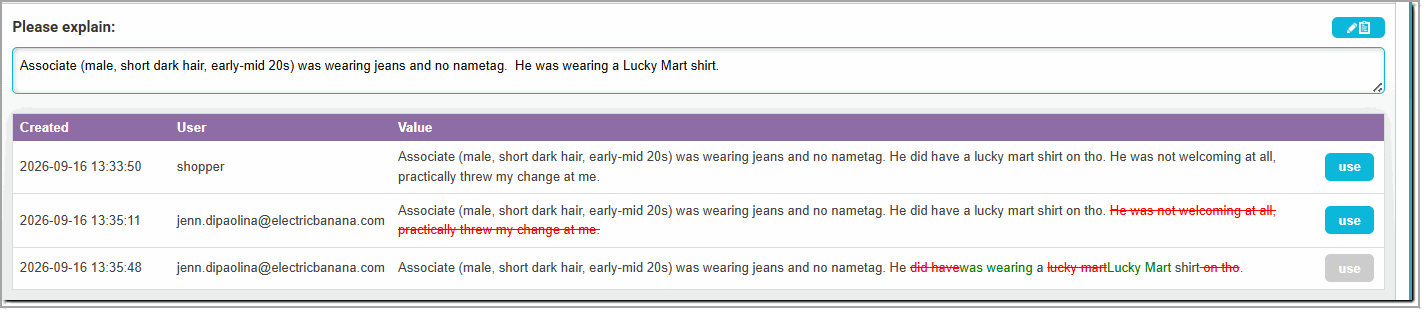
To assist your team in monitoring quality, Presto has added a new feature that tracks changes to text questions. When review history has been enabled for a survey, you will be able to see changes that were made to text questions, including what user made the change and when they were made. In the example below, the reviewer initially edited the shop to remove an irrelevant observation, and then made another edit to clean up spelling and capitalization and improve the wording.
Review history/change tracking is an optional feature. To enable this feature, please contact Presto Support at support@prestomobilesurvey.com with the survey ID where you want to track text question changes.